Frontyanra
Vertex Module
Vertex Module
Couldn't load pickup availability
- 💻 Digital course available after purchase
- 📅 Long-term availability
- 🔒 Secure checkout
- 📝 Content updated in 2026
Self-paced learning overview
1. Problem Statement
After the first introduction to HTML and CSS, many learners wonder how to move from separate tags to a complete page. A beginner may know what a heading, paragraph, or block is, but may not yet understand how to connect them properly. Because of this, a page can look randomly assembled, without a clear order or visual logic. Spacing, sizes, nested elements, and basic styling rules can also feel confusing at this stage. Vertex Module is created to help organize these topics and guide learners toward building a simple page in a more structured way.
2. Solution
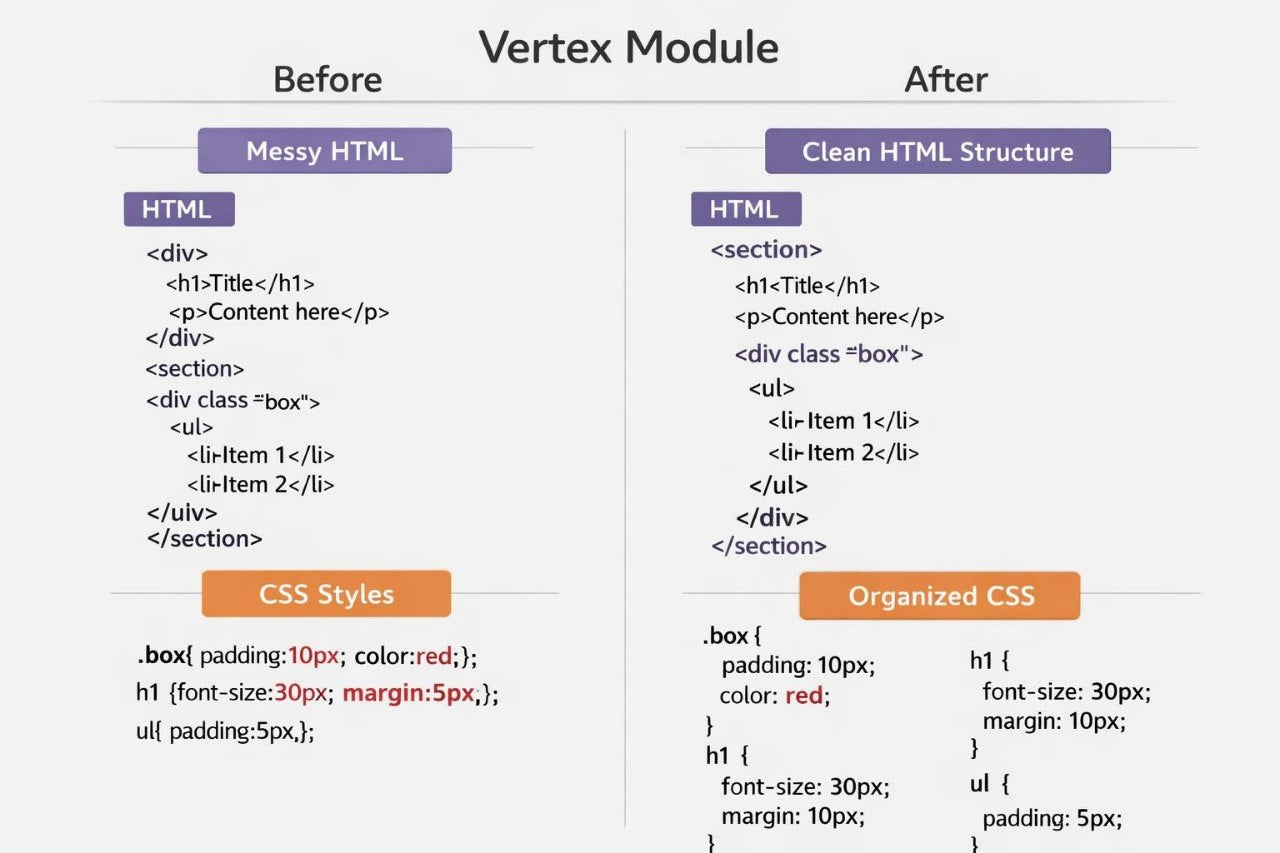
Vertex Module focuses on the basic architecture of a web page: from HTML markup to first structured CSS decisions. The learner gradually explores how to create blocks, group elements, and give them a clear placement. The materials explain how spacing, containers, sections, and basic styles work without unnecessary complexity. Each topic includes small examples that show the connection between code and the page view. As a result, the learner gains a clearer picture of how a page is formed through thoughtful structure rather than random placement.
3. What's Inside
- Module 1: HTML Structure Map — learners find out how to build a page with core HTML elements and understand their role in the overall structure.
- Module 2: Section Logic — learners explore how to divide a page into sections, blocks, and parts so the material looks organized.
- Module 3: CSS Spacing Basics — learners study how outer and inner spacing works and how it affects visual order.
- Module 4: Text and Block Styling — learners practice styling headings, text, cards, and simple information blocks.
- Module 5: Layout First Steps — learners see how to place elements side by side or one below another in a study layout.
- Module 6: Practice Page Assembly — learners build a simple page with several sections using HTML structure and basic CSS rules.
4. Who is this for?
✅ A good fit if you...
- have already had a short introduction to HTML and CSS and want to continue;
- want to better understand how page structure is created;
- feel confused by spacing, sections, blocks, and nested elements;
- want to build a simple study layout from several parts;
- prefer calm learning materials without exaggerated marketing claims.
❌ Not for you if...
- you already create complex responsive layouts comfortably;
- you are looking for deeper JS work;
- you want to move directly into complex interface scenarios;
- you expect claims about specific career or financial outcomes;
- you are looking for materials connected to third-party services or program names.
5. What You'll Learn
- How to build a basic HTML page structure.
- How to group elements into sections and blocks.
- How outer and inner spacing works.
- How to style text, headings, and simple cards.
- How to create a more organized page view with CSS.
- How to see the connection between markup and visual result.
- How to assemble a study layout from several sections.
- How to prepare a base for studying more detailed CSS and JS topics later.
6. Refund Terms
- 30-day money back
- Risk-free
Do I need previous experience with HTML, CSS, or JS?
Do I need previous experience with HTML, CSS, or JS?
No, the materials are built so learners can begin with basic concepts. In each plan, topics are presented gradually, with explanations, examples, and small practical tasks.
What format do the materials use?
What format do the materials use?
The courses include lessons, modules, code examples, short explanations, and learning resources. The format is focused on careful study, repetition, and practice.
Share